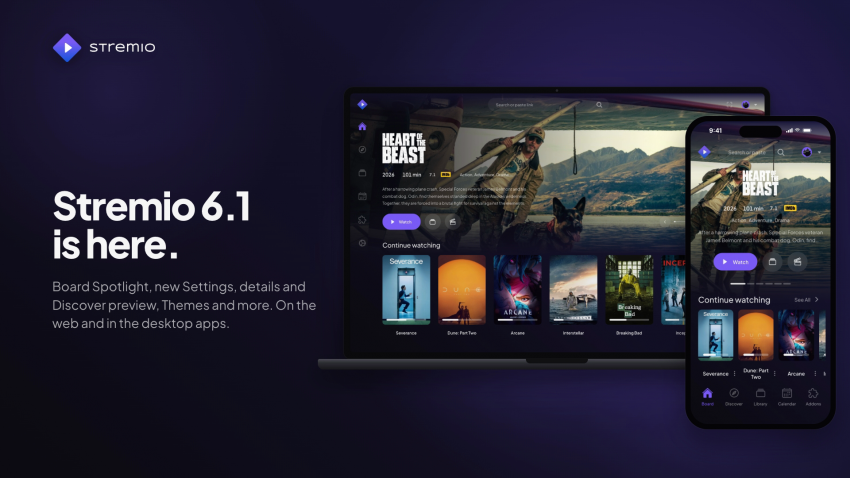
We just released Stremio Desktop (Windows v5.0.28, MacOS v5.1.31 and Linux v1.2.3) and Stremio Web (v6.1.0)
Let’s dive into what changed!
Stremio Web
New
- Board Spotlight: a slideshow at the top of the Board with titles from up to 3 catalogs of your choice. Turn it on in Settings › Interface › Board › “Show Spotlight”.
- Redesigned Settings: grouped pages, a “Search settings” field, a live subtitles preview and status lines such as “Server online”.
- Redesigned details page: a large hero, one main Watch/Resume button, a new episode picker and a Live TV page with a programme guide.
- Redesigned Discover preview: the selected title opens in a floating panel with Trailer, Library, Watched and Show buttons.
- Subtitles vertical position: set the default height of subtitles in Settings › Player › Subtitles › Vertical Position.
Improvements
- Playback speed is remembered.
- New cache sizes: 50, 100 and 200 GiB.
- The Account page shows your plan and a Switch profile button, and Settings shows your account at the top.The update banner on phones is redesigned and easier to dismiss.
- Phones: screens respect the notch and home indicator, and menus and dialogs fit narrow screens.
- IMDb links open directly, without the extra warning page.
- stremio:// addon links keep their port and query string.
- Updated translations.
For Supporters
- Themes: pick a colour theme in Settings › Interface › Theme (Blueberry, Lime, Night, Ocean, Paper and Vulcano).
- Redesigned floating navigation bar, with previews of each navigation style in Settings, to better reflect Stremio signature design (minimalistic navbar setting).
- Organize content and Filter streams have their own page in Settings › Content.
- Manage Profiles now lives in Settings, together with “Ask for PIN again after”.
- Each profile keeps its own settings on a device, and each page in the settings shows it.
- Fixed switching to the already active profile resetting notifications and remembered streams.
Stremio Desktop
New
- Custom mpv config: load your own mpv configuration file.
- Linux: “Remove window decorations” option in Preferences › Interface.
- Linux: ASS/SSA subtitles are rendered natively by the player.
Improvements
- macOS and Linux: lower CPU use during playback, video frames now stay on the GPU.
- Windows: play and pause media keys control Stremio while it is in the background.
- Windows: audio comes back after the audio device disconnects and returns.
- Windows and macOS: live streams that keep dropping no longer reconnect in a loop.
- Windows: the minimum window size follows the monitor’s scaling.
- macOS: the streaming server stops when the app is closed by the system.
- Linux: the interface scale setting scales the whole window.
- Linux: the Flatpak no longer opens to a black window on some systems.
- Linux: media controls are only active while something is playing.
- Linux: clicking the tray icon brings the window to the front.
- Updated streaming server (4.22.6): security fixes, more reliable torrent and HLS streaming, and correct languages for MKV tracks.
Stay tuned as we have more surprises for our users in 2026!