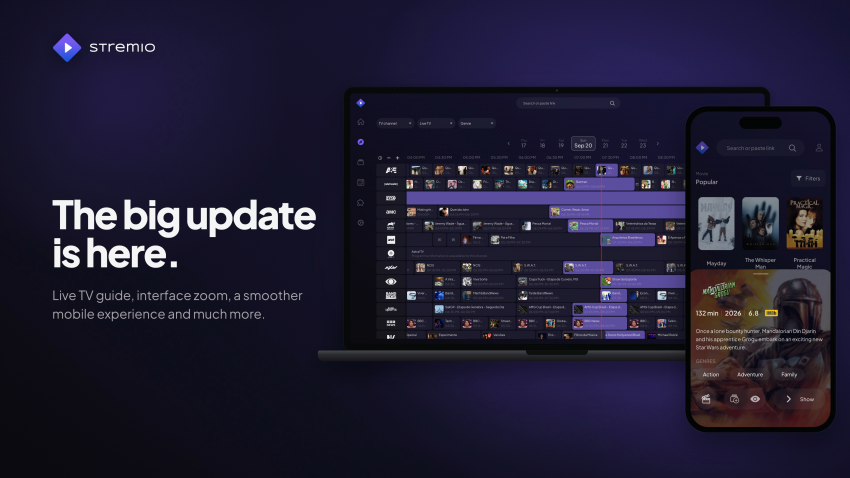
Highlights
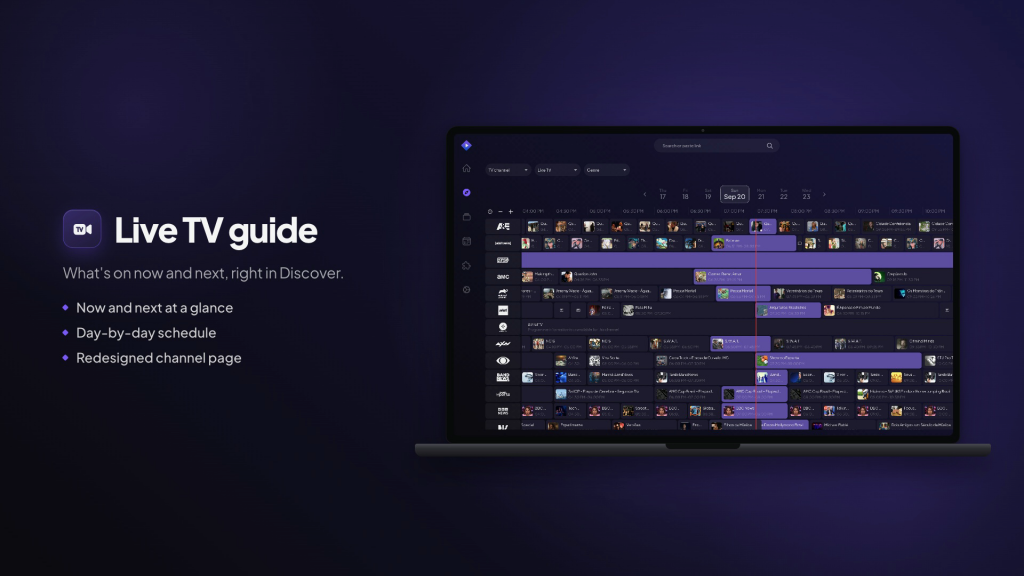
Live TV guide. Live TV channels in Discover now include a programme guide, so you can see what’s on now and next. The channel page has been redesigned with the guide at the bottom, and playback from the guide works more reliably.
Interface zoom. A new setting scales the whole interface up or down, in the browser and in the desktop apps.
Live TV and EPG
For users:
Live TV channels in Discover now come with a full program guide, known as an EPG. You can see what’s on each channel right now and what’s coming up next, scroll through the timeline, and switch between days. Selecting a channel opens its redesigned page with the day’s schedule underneath. Pressing play starts the channel live.
The guide comes from your addons. If you have a Live TV addon that provides a program schedule, the guide appears automatically in Discover under that addon’s TV catalog. Addons without a schedule still show their channels as a regular list.
For addon developers:
- Native EPG guide: https://github.com/Stremio/stremio-addon-sdk/blob/master/docs/epg.md
- Example addon: https://github.com/Stremio/stremio-addon-sdk/blob/master/examples/epg-livetv.js
- Manifest behaviorHints reference: https://github.com/Stremio/stremio-addon-sdk/blob/master/docs/api/responses/manifest.md
Player
- The language you choose for subtitles and audio now carries over to the next episode when binge watching.
- Hovering over the seek bar shows a timestamp preview.
- When you change the playback speed, a speed indicator appears on screen.
- The speed menu is easier to use, with better slider control and more speed options.
- Subtitle delay can be adjusted in finer 100 ms steps, and holding the button speeds up the change.
- Your subtitle delay is kept when you turn subtitles off and back on.
- Added more options for styled (ASS) subtitles.
- A new keyboard shortcut changes the video scale (fit, fill, stretch). The control icon shows the current mode, and your choice is remembered.
- Escape now leaves the player when it isn’t in fullscreen.
- The next-episode thumbnail is blurred only for episodes you haven’t watched, to avoid spoilers.
- Addon subtitles in ASS/SSA format can keep their original styling: fonts, colours and positioning (turn it on in Settings → Player → Style ASS subtitles)
Desktop and external players
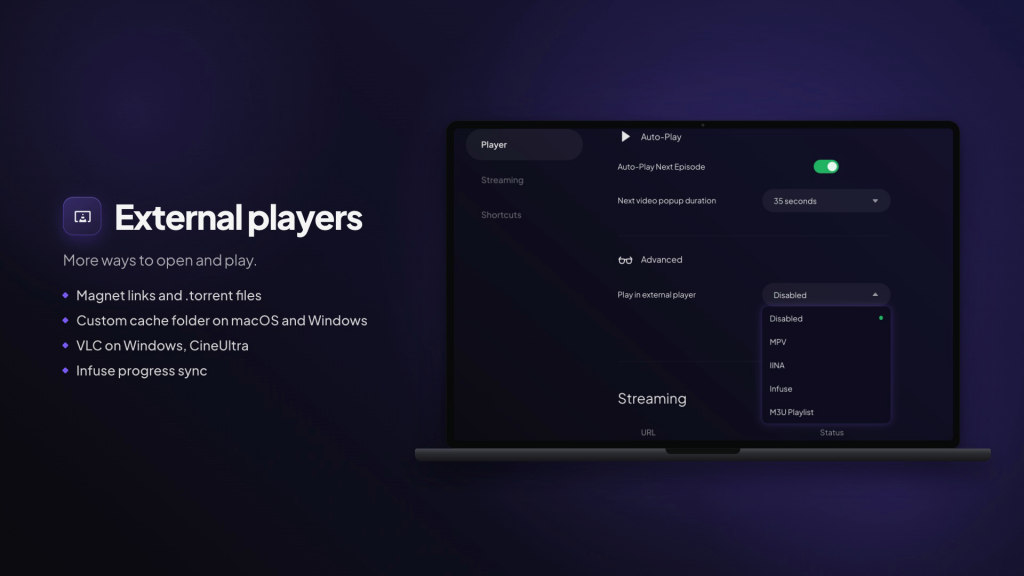
- The desktop apps can now open magnet links and .torrent files directly.
- On macOS and Windows you can choose which folder is used for the streaming cache.
- VLC is now offered as an external player on Windows.
- Added CineUltra as an external player option for VisionOS.
- Watch progress from Infuse is now recorded, so Continue Watching and watched status stay accurate.
Mobile and installed app (PWA)
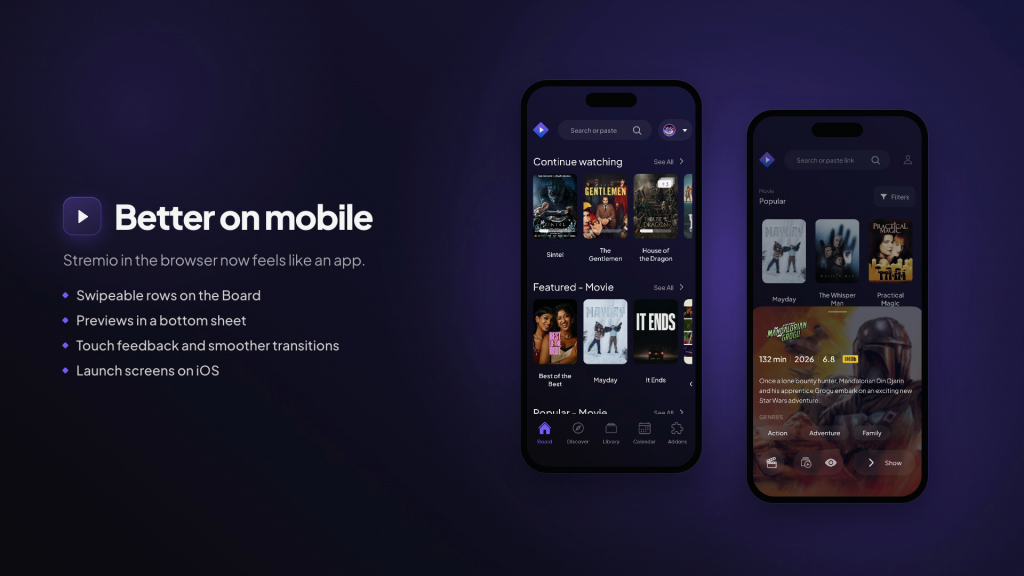
- Rows on the Board scroll horizontally on phones.
- Tapping an item in Discover on mobile opens its preview in a bottom sheet.
- Buttons, posters and preview actions now respond visibly to touch.
- Page transitions are smoother, including when you open a poster.
- Context menus and the update banner work better on small screens.
- On iOS, the app installed from the browser now shows proper launch screens.
- The color picker has a new design and opens as a sheet on mobile.
Other improvements
- Web app updates now apply automatically, so you’re always on the latest version.
- Added Latin American Spanish as an interface language.
- You’re asked to confirm a streaming server URL only when it isn’t a trusted one.
Fixes
- Casting: playback handoff to cast devices, subtitles while casting, and cleanup after stopping are all more reliable.
- Streams now show even when the addon you picked earlier is no longer installed.
- Back navigation works correctly, including after opening a direct link.
- Continue Watching’s action menu works properly again.
- Library resume overlays go away once you dismiss them or finish watching.
- Episode lists remember their scroll position for each title and season.
- Discover dropdowns preselect the right option, and clicking an item no longer skips selecting it.
- Keyboard navigation stays inside open dropdowns, and scrolling a dropdown no longer scrolls the page.
- Keyboard seeking responds immediately when you release the key.
- Choosing a subtitle from the right-click menu no longer selects text.
- Holding for temporary speed now restores your original speed if the hold is cancelled.
- Search text in the navigation bar stays in sync with the page you’re on.
- Cancelled social logins no longer interfere with a new login attempt.
- Media controls (keyboard media keys, system controls) are cleaned up correctly after playback.
- Oversized addon logos in item previews are now scaled down to fit.
- Selecting a streaming server no longer resets your other settings.
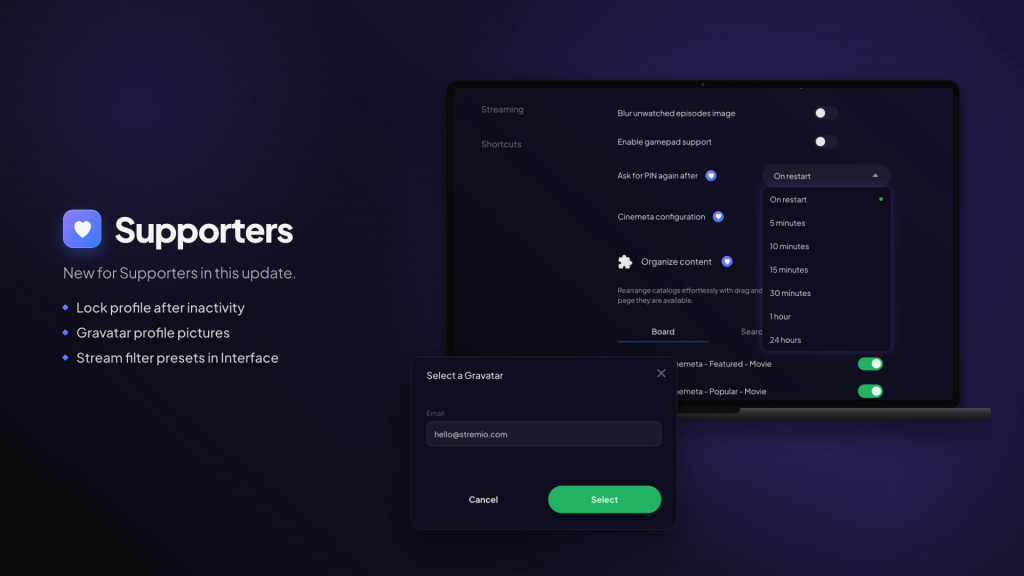
For Supporters
Lock profile after inactivity. Profiles can lock themselves after a period of inactivity, so someone else can’t pick up where you left off. PIN entry has also been reworked to be more reliable.
Gravatar profile pictures. You can use your Gravatar as a profile avatar.
Fixes
- Stream filter presets are now under Interface settings.
- The “next video” popup now respects the setting that turns it off.
- Live Sync subtitles pick the correct line while the video is paused.
- The Downloads list scrolls properly, and download and content labels update when you change language.
- Reordering catalogs no longer breaks after an invalid drop.
- Avatars fall back correctly when the image changes, and the profile menu actions stay on one row.
- The welcome screen scrolls properly and handles keyboard focus correctly.
- Fixed spacing in the minimalistic calendar layout.
There is something wrong with Stremio. It won’t play the video and it throws the following error:
Source error:java.net.ConnectException:Failed to connect to/127.0.0.1:11470
The device is Xiaomi stick android 11.
After device restart sometimes work sometimes don’t.